A professional WordPress developer specializes in building, customizing, and maintaining websites using the world’s leading CMS. With expertise in themes, plugins, and performance optimization, they ensure scalable, secure solutions. Contact developer Hiren for tailored WordPress services today.
A professional WordPress developer brings technical prowess to create robust, user-friendly websites. They handle everything from custom theme design to API integrations, ensuring sites are optimized for speed and SEO. But why choose WordPress as the foundation?
Key Takeaways
- It is estimated that WordPress is the platform behind 43. 4% of all websites. This is because WordPress offers exceptional flexibility, catering to different types of websites such as blogs, e-commerce, and enterprise sites.
- Its open-source nature allows cost-effective customization without vendor lock-in.
- A vast ecosystem of plugins and themes accelerates development while maintaining high standards.
- Superior SEO capabilities and mobile responsiveness make it ideal for modern digital needs.
- Community support and regular updates ensure long-term reliability and security.
What Defines a Professional WordPress Developer?
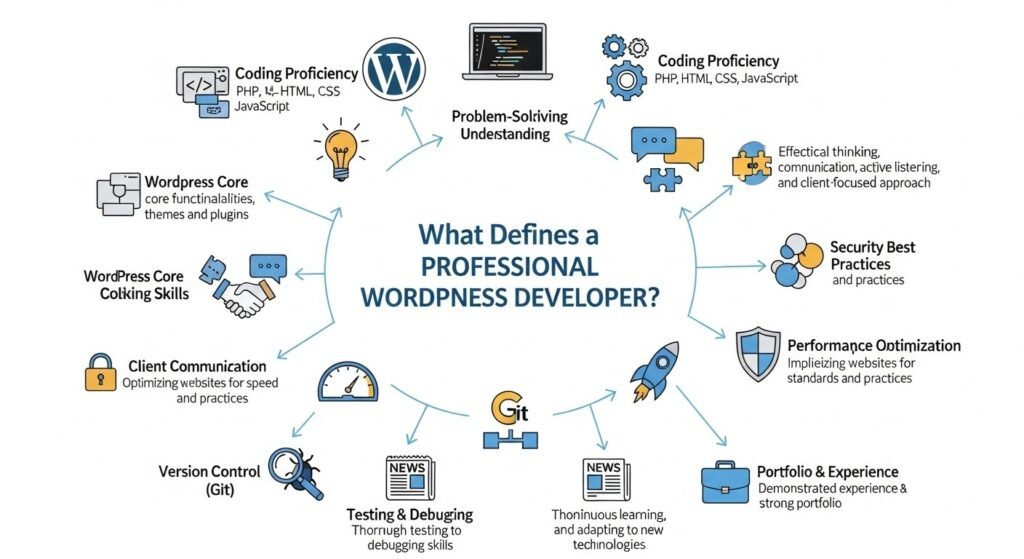
A professional WordPress developer is more than a coder; they are architects of digital experiences. They possess deep knowledge of PHP, HTML, CSS, JavaScript, and WordPress-specific tools like Gutenberg and REST API. Their role involves assessing client needs, planning site architecture, and implementing features that align with business goals.
In the competitive landscape of WordPress, professionals stand out by adhering to best practices. They prioritize clean code, version control with Git, and accessibility standards like WCAG. This ensures websites are not only functional but also inclusive and future-ready.
How Do You Identify Top WordPress Developers?
Top WordPress developers showcase a strong portfolio demonstrating diverse projects. Look for evidence of problem-solving, such as migrating sites from other CMS or optimizing for high traffic. Certifications like those from WordPress.org or experience with tools like WooCommerce can indicate expertise.
Freelance WordPress developers often highlight client testimonials and case studies. They communicate effectively, providing timelines and budgets upfront. In WordPress for developers, proficiency in debugging and performance tuning is key, as sites must load under 2 seconds to retain users.
What Skills Should a WordPress Developer Have?
Essential skills include mastery of core WordPress functions, custom plugin development, and theme creation from scratch. Knowledge of databases like MySQL and server management is crucial for handling complex setups.
Advanced skills involve SEO optimization, security hardening, and integration with third-party services. A freelancer WordPress developer might also excel in e-commerce solutions, using plugins like Elementor or Divi for rapid prototyping.
How Has WordPress Evolved Over the Years?
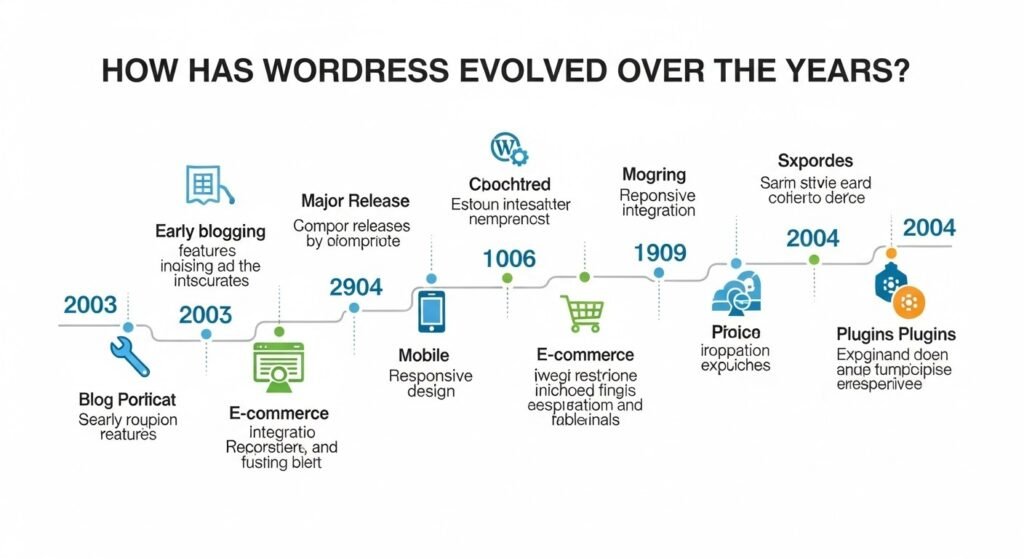
WordPress began in 2003 as a simple blogging tool forked from b2/cafelog by Matt Mullenweg and Mike Little. Initially focused on text publishing, it quickly gained traction due to its ease of use and open-source license.
By 2004, plugins were introduced, allowing extensibility. Themes followed in 2005, enabling visual customization. The evolution accelerated with version 2.0 in 2005, adding rich text editing and improved user roles.
What Were the Key Milestones in WordPress History?
In 2010, WordPress 3.0 merged MU (Multi-User) capabilities, supporting multisite networks. Gutenberg, the block editor, launched in 2018 with version 5.0, revolutionizing content creation by shifting to modular blocks.
The 2020s saw emphasis on full-site editing (FSE) with version 5.9 in 2022, allowing theme customization via blocks. By 2026, WordPress 6.4 will integrate AI-assisted content generation, reflecting its shift from blogging to a comprehensive CMS.
How Did Community Contributions Shape WordPress?
The global community, with over 500 meetups and WordCamps, drives innovation. Contributions via GitHub include core updates, translations, and security patches. This collaborative model has led to over 60,000 plugins in the repository.
As Matt Mullenweg, co-founder of WordPress, stated: “Usage is like oxygen for ideas.” This philosophy has fueled WordPress’s growth, making it adaptable to user feedback and emerging technologies.
What Are the Current Security Standards for WordPress?
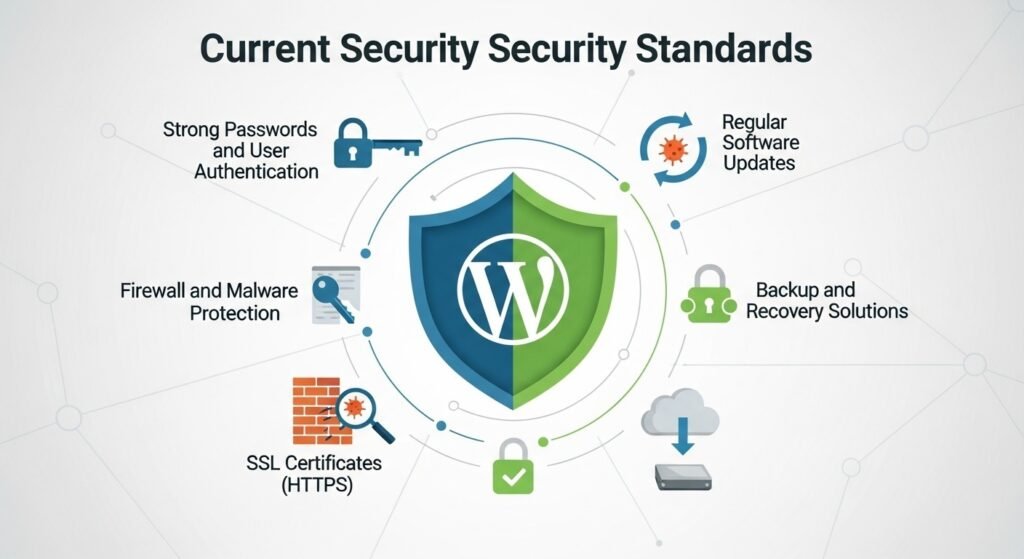
In 2026, WordPress security emphasizes proactive measures amid rising cyber threats. Core standards include regular updates, as unpatched sites account for 80% of hacks. The platform’s auto-update feature for minor releases helps maintain integrity.
Security plugins like Wordfence or Sucuri scan for vulnerabilities, blocking over 100 million attacks daily across sites. Best practices mandate strong passwords, limited login attempts, and SSL certificates for encrypted data transmission.
How Can You Implement Two-Factor Authentication in WordPress?
Two-factor authentication (2FA) is the use of a second verification method layer, which can reduce the chances of unauthorized access by 99%. Plugins like Google Authenticator or Authy integrate seamlessly, requiring a mobile code alongside passwords.
For enterprise sites, hardware keys via WebAuthn are recommended. Professional developers configure these during setup, ensuring compliance with standards like GDPR and PCI DSS for data protection.
What Role Do Firewalls Play in WordPress Security?
Web Application Firewalls (WAFs) like Cloudflare or ModSecurity filter malicious traffic, preventing SQL injections and XSS attacks. They analyze requests in real-time, blocking bots that exploit outdated plugins.
Regular audits, including vulnerability scans with tools like WPScan, are essential. In 2026, AI-enhanced firewalls predict threats, adapting to new patterns for robust defense.
How Does WordPress Compare to Other CMS Platforms?
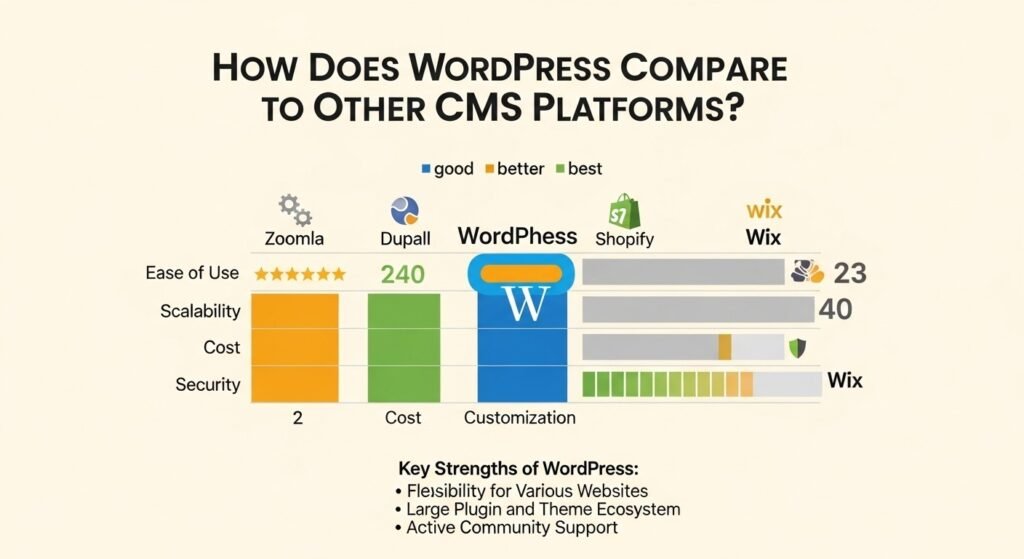
WordPress dominates with 43.4% of all websites and 63% of the CMS market, but how does it fare against competitors? A detailed comparison reveals its strengths in flexibility and community support.
| Feature | WordPress | Joomla | Drupal | Shopify |
| Market Share | 43.4% (all sites) | 1.8% | 1.3% | 4.2% (e-commerce) |
| Ease of Use | Beginner-friendly with drag-and-drop | Moderate learning curve | Steep for complex sites | User-friendly for stores |
| Customization | High via plugins/themes (60,000+) | Good with extensions | Excellent for enterprise | Limited to apps |
| Cost | Free core; premium add-ons | Free | Free | Subscription-based ($29+/month) |
| SEO | Built-in tools; plugins like Yoast | Decent with extensions | Strong modules | Good for e-commerce |
| Security | Community patches; plugins needed | Built-in features | High for government sites | Hosted security |
| Scalability | Handles millions of visits with caching | Good for mid-size | Enterprise-level | Auto-scales for shops |
| Best For | Blogs, sites, e-commerce | Portals, intranets | Data-heavy sites | Online stores |
WordPress excels in versatility, powering everything from personal blogs to Fortune 500 sites. Joomla offers structured content management, ideal for membership sites, but lacks WordPress’s plugin ecosystem.
Why Choose WordPress Over Joomla or Drupal?
Drupal’s modular architecture suits data-intensive applications, like government portals, with superior content workflows. However, it requires more development expertise, whereas WordPress allows quicker launches.
Joomla bridges the gap, with strong multilingual support and user management. Yet, WordPress’s larger community ensures faster issue resolution and more resources for developers.
Is Shopify a Better Alternative for E-Commerce?
Shopify shines in hosted e-commerce, with built-in payment gateways and inventory tools. It eliminates server management, but monthly fees add up, and customization is restricted compared to WooCommerce on WordPress.
For businesses needing full control, WordPress with WooCommerce provides free scalability, integrating with over 500 extensions for advanced features like subscriptions.
How Can WordPress Be Future-Proofed with AI and Headless Integration?
As digital landscapes evolve, WordPress adapts through AI and headless architectures. Headless WordPress decouples the backend from the frontend, using APIs to deliver content to apps, PWAs, or IoT devices.
This setup enhances performance, with sites loading 50% faster by leveraging frameworks like React or Next.js. Security improves as the admin panel is isolated from public-facing elements.
Headless WordPress: Definition and Working
In headless mode, WordPress serves as a content repository via REST or GraphQL APIs. Developers build custom frontends, enabling omnichannel experiences across web, mobile, and voice assistants.
Plugins like WPGraphQL facilitate this, allowing queries for specific data. By 2026, 30% of enterprise WordPress sites adopt headless for scalability.
How Is AI Transforming WordPress Development?
AI tools are capable of automating content creation, SEO analysis, and personalization. Plugins like Jetpack AI generate drafts, while tools like Rank Math use machine learning for keyword suggestions.
Future integrations predict user behavior, optimizing layouts dynamically. For developers, AI assists in code generation, debugging, and testing, reducing development time by 40%.
What Steps Should Developers Take for Future-Proofing?
Start by adopting Gutenberg blocks for modular design. Integrate AI via APIs from OpenAI or Google Cloud. For headless, use frameworks like Gatsby for static site generation.
Regular training on emerging trends ensures adaptability. WordPress’s commitment to backward compatibility safeguards investments.
What Guidelines Should WordPress Developers Follow?
WordPress developer guidelines emphasize clean, maintainable code. Follow the WordPress Coding Standards for PHP, using tools like PHPCS for validation.
Prioritize performance with lazy loading, minification, and CDNs. Accessibility ensures ARIA labels and keyboard navigation, complying with ADA standards.
How to Build a Strong WordPress Developer Portfolio?
A top WordPress developer portfolio includes live demos, code snippets on GitHub, and metrics like load times or traffic handled. Highlight unique projects, such as custom APIs or migrations.
Include blog posts on WordPress topics to demonstrate thought leadership. For freelance roles, showcase versatility across industries.
Which Errors Are Frequently Made and Should Be Avoided in WordPress Development?
Avoid over-relying on plugins, which can bloat sites. Instead, custom code where possible. Neglecting mobile optimization leads to high bounce rates, as 55% of traffic is mobile.
Always test for cross-browser compatibility and use staging environments before going live.
Frequently Asked Questions
What Is a Professional WordPress Developer?
A professional WordPress developer designs, builds, and optimizes websites using WordPress. They handle custom features, ensuring security and performance. Hiring one saves time and delivers polished results.
How Much Does a Freelance WordPress Developer Cost?
Rates vary from $50-$150 per hour, depending on experience. Project-based fees range from $1,000 for basic sites to $10,000+ for complex ones. Factor in ongoing maintenance costs.
Why Hire a Top WordPress Developer?
Top developers provide scalable solutions, reducing downtime and improving user experience. Their expertise prevents common pitfalls, leading to better ROI through optimized SEO and conversions.
What Should Be in a WordPress Developer Portfolio?
Include project overviews, technologies used, and outcomes like increased traffic. Screenshots, client feedback, and links to live sites demonstrate real-world impact.
How to Choose the Best WordPress Developer?
Review portfolios, check references, and discuss your goals. Ensure they follow best practices and offer post-launch support for long-term success.
In conclusion, navigating the world of WordPress requires expertise to harness its full potential. Whether building from scratch or optimizing existing sites, a professional approach ensures success. For reliable WordPress solutions, developer Hiren stands as a trusted resource, delivering customized, high-quality development tailored to your needs.
Conclusion: Who should you trust for professional WordPress solutions?
Choosing a professional WordPress developer means investing in performance, security, SEO, and future growth. WordPress continues to dominate the web because it adapts, scales, and empowers businesses. For reliable, future-ready WordPress development, developer Hiren is a trusted resource for custom WordPress solutions built to rank, convert, and scale.